Prerequisites
- Verify your current Quartz version (I check the version shown during
npx quartz build --serve, and confirm it inpackage.json). - Make sure your git repo is clean:
git statusIf needed, commit or stash changes before upgrading.
- Confirm you have an upstream remote pointing to Quartz:
git remote -v
Figure 1 — Verify current version displayed
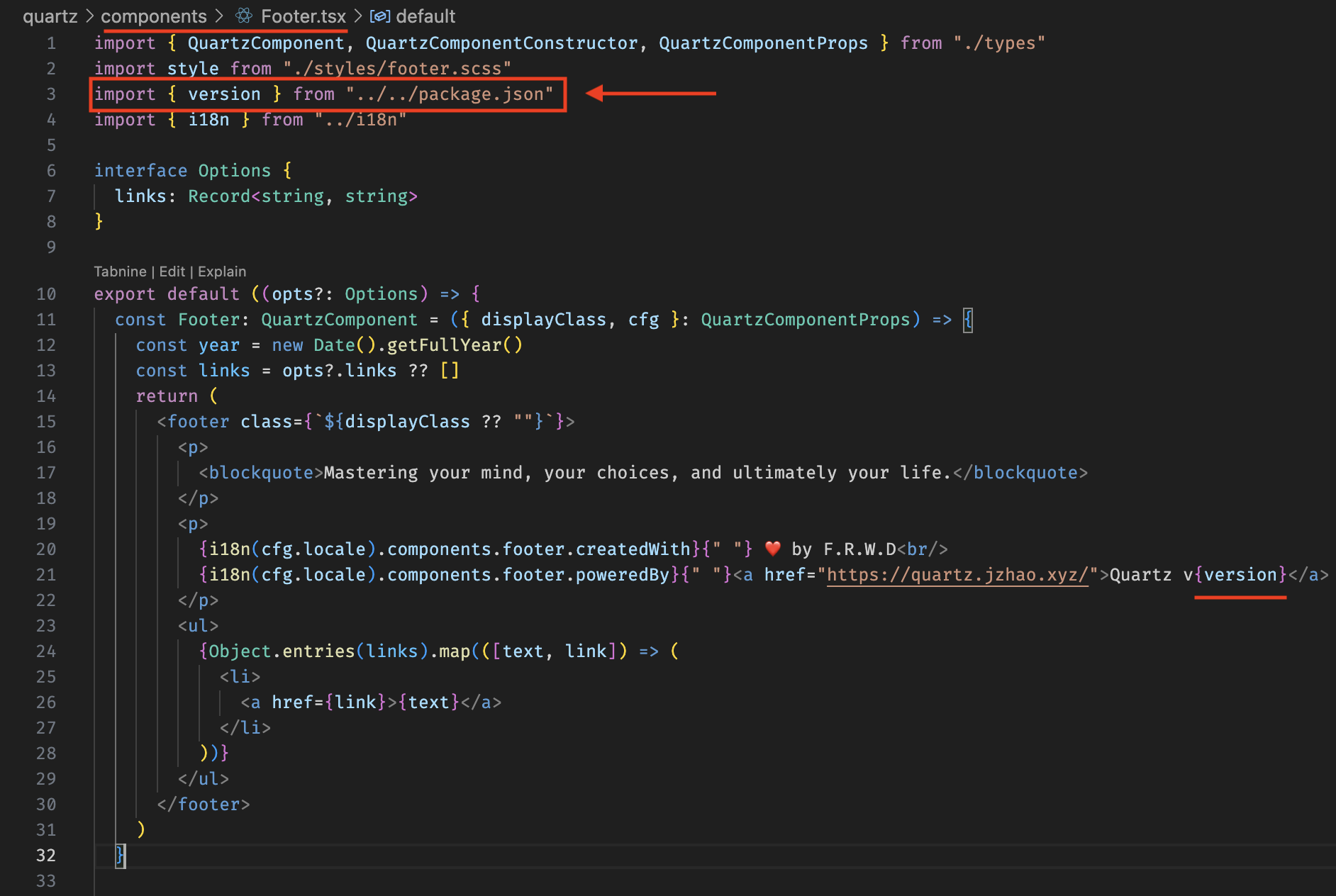
Figure 2 — version is extracted from package.json
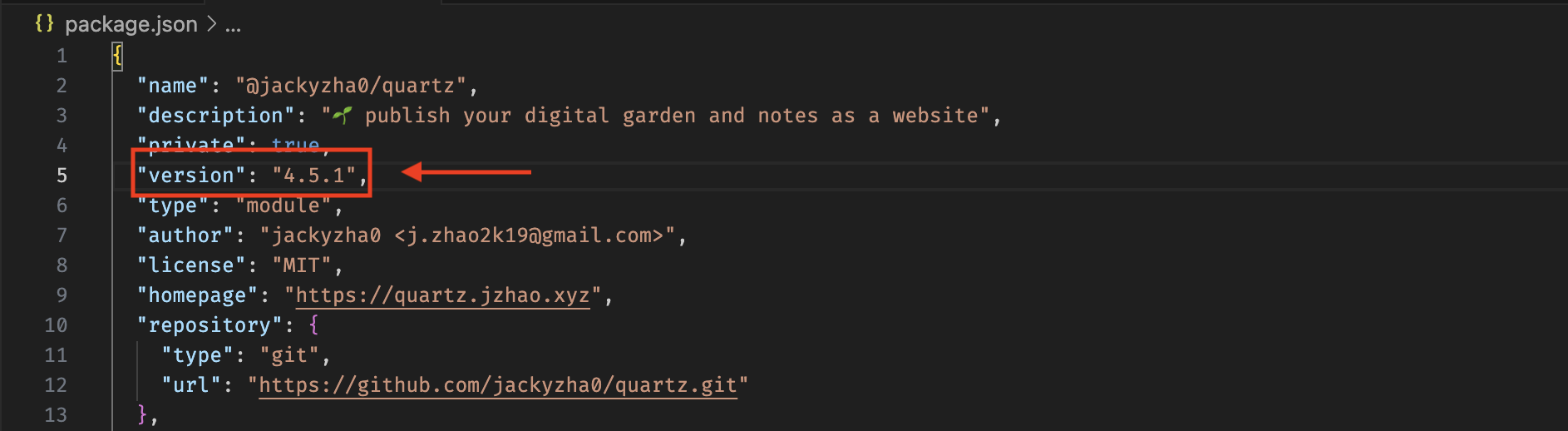
Figure 3 — Check version in package.json
My git remotes look like this
❯ git remote -v
origin  git@bitbucket.org:****************.git (fetch)
origin  git@bitbucket.org:****************.git (push)
upstream        https://github.com/jackyzha0/quartz.git (fetch)
upstream        https://github.com/jackyzha0/quartz.git (push)
Upgrade from v4.5.1 to v4.5.2 (Minor)
🪴 Steps
1. Fetch upstream
git fetch upstreamThis downloads new Quartz commits locally.
After fetching, confirm the target tag exists locally.
❯ git fetch upstream
❯ git tag --list | tail -n 10
Expected signal (example):
v4.5.2
There is a new tag v4.5.2 — that’s the version I’m upgrading to.
Tip
Run
git tag --listto view list of tags
2. See what changed
This is my “how big is this change?” sanity check.
git log --oneline HEAD..v4.5.2I skim the list for anything that might affect my setup (search, analytics, hosting, etc.). If it looks large, I pause and read the release notes / relevant docs before merging.
I can see there are several new features and fixes introduced
❯ git log --oneline HEAD..v4.5.2
* ...
* 4c78d29 fix(search): css min padding
* 7a77f54 fix(i18n): Add RTL Detection based on Config Set Language (#2100)
* 03ccac2 feat: Update FlexSearch and Add Support for All Languages (#2108)
* 6add0c8 fix(style): layout flow, search restyle
* 8df8d5c fix: fix CNAME path error (#2096)
* ...
* ...
* e77a051 feat(analytics): add support for Vercel Web Analytics provider (#2119)
* ecb3d92 Fix: normalize chokidar paths for hot reload on Windows (#2120)
* ...
* ...
* 0a57d03 feat(typst): invert the math equation for typst rendered equation in darkmode (#2095)
* ...
* e918f11 feat: add support for matomo analytics (#2051)
3. Create an “upgrade” branch
I isolate upgrades in a branch so I can test safely and rollback if needed.
❯ git checkout -b 20260101-upgrade-quartz-v4.5.24. Merge upstream into the “upgrade” branch
git merge v4.5.2
Info
Why
merge, notpull?git pullis justfetch+merge. Being explicit helps avoid mistakes !!
5. Resolve conflicts (if any)
In this case, I don’t experience any conflict, so no further action is needed. Yay
❯ git merge v4.5.2
Auto-merging quartz/components/renderPage.tsx
Auto-merging quartz/i18n/locales/definition.ts
Merge made by the 'ort' strategy.
 .github/workflows/build-preview.yaml          |   4 +-
 .github/workflows/ci.yaml                     |   8 +--
 .github/workflows/deploy-preview.yaml         |   2 +-
 .github/workflows/docker-build-push.yaml      |   4 +-
....
 quartz/plugins/emitters/cname.ts              |  21 ++++---
 quartz/plugins/emitters/componentResources.ts |  40 +++++++++++++
 quartz/plugins/transformers/ofm.ts            |  11 +---
 quartz/styles/base.scss                       |  22 ++-----
 quartz/styles/callouts.scss                   |  26 +++++---
 25 files changed, 416 insertions(+), 325 deletions(-)
6. Test locally
npx quartz build --serveTip
When you build, you’ll see the new version displayed as well
❯ npx quartz build --serve

 Quartz v4.5.2
7. Land the upgrade onto main
git checkout main
git merge --no-ff 20260101-upgrade-quartz-v4.5.2
8. Deploy + verify live
Once local testing looks good, deploy using your normal workflow.
After deploy, I do a quick live smoke test:
- Home page loads
- A few seeds render
- Search works